

Quote, which becomes an invoice in one click
A quote doesn't go to NAV and doesn't use your monthly invoice allowance. When your client accepts it, you can make an invoice from it with a single click, without retyping.
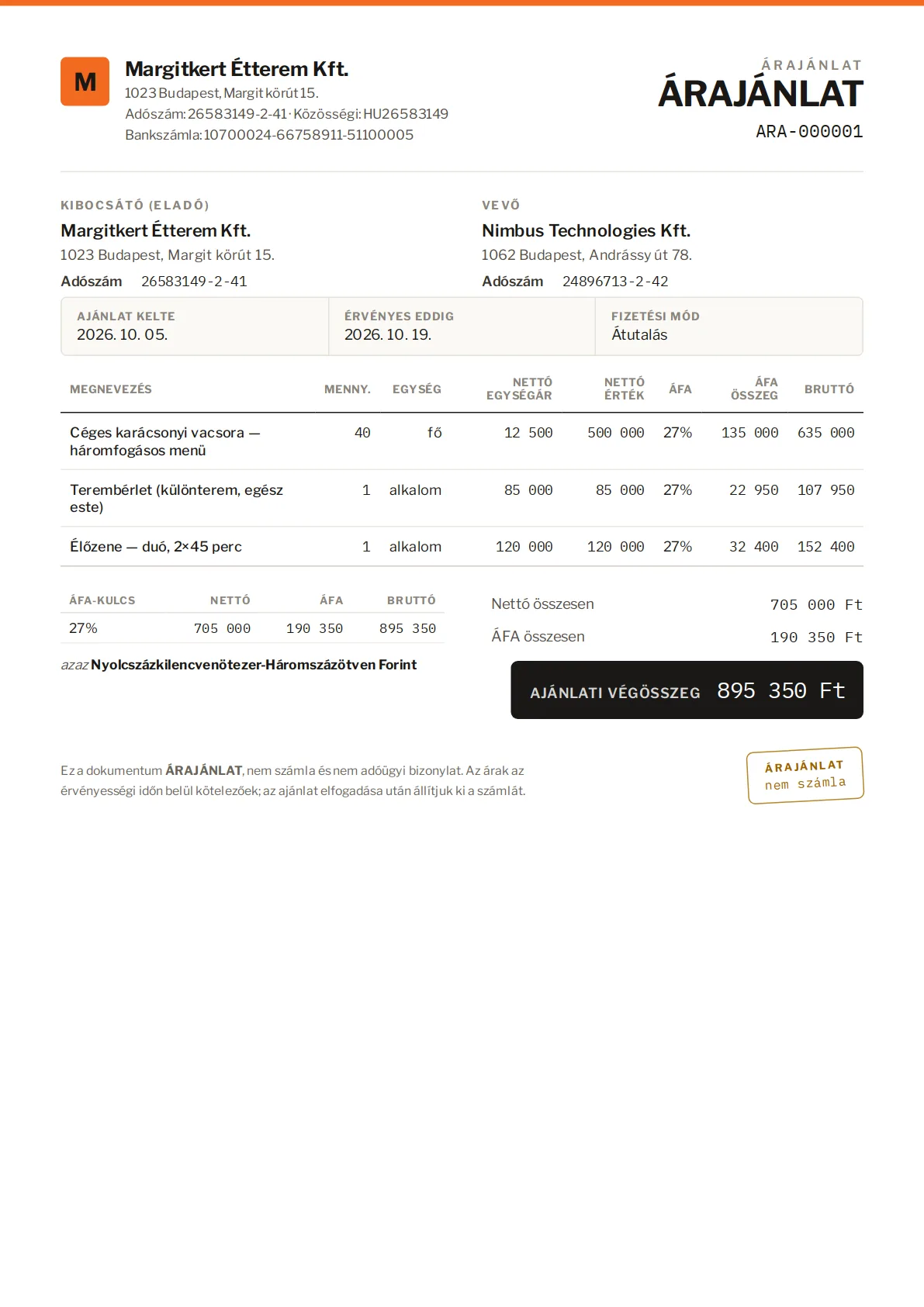
After acceptance: an invoice, without retyping
From the quote's panel, the “Create invoice” button opens the invoice form prefilled with the quote's customer, lines and amounts. The quote then gets the “Invoiced” status and a reference to the resulting invoice number.
Validity and sending
The quote gets a “Valid until” date, after which you are no longer bound by it. The document can be sent to the customer by email, with an A4 PDF, before you turn it into an invoice.
How it differs from the other documents
It is not an invoice, so it passes on no VAT and the customer cannot deduct anything on it. Nor is it a pro forma invoice: that is a payment request for a transaction already decided, while a quote is still a condition. And it is not an order: an order comes from the customer's intent, a quote from yours. The four documents run in separate numbering series so they don't mix in your records either.
Not editable after issue
An issued document is with the customer. If you could rewrite it afterwards, two different papers would exist under the same number. So the quote becomes final when issued, and its image never changes again. If you want to change it: Revoke (the document is marked “REVOKED”), then “Copy as a new document”. The form opens prefilled and gets a new number. What you haven't sent yet you can simply delete.
Drafts and API
A quote can also be saved as a draft: a draft uses no number and can be edited until you issue it. The same works from code through the Bearer key API, so your webshop or CRM can create quotes on its own.
In short
- Its own, non-tax series with a validity date
- Sending by email
- Turned into an invoice in one click
- Doesn't use the monthly allowance
Frequently asked questions
Does a quote need a tax number?
The customer's tax number is not mandatory content of a quote, because a quote is not a tax document. But if it later becomes an invoice, a company customer needs a name and address in any case, so it is worth filling them in here: when turned into an invoice, they carry over automatically.
How long is a quote valid?
As long as you set: you enter the “Valid until” date. The date goes on the document, so the customer also sees how long you hold the price.
What happens when the customer accepts it?
In the quote's panel, the “Create invoice” button opens the invoice form prefilled with the quote's customer, lines and amounts. The quote gets the “Invoiced” status and refers to the resulting invoice number, so you can see later which quote became which invoice.
Does it use my monthly invoice allowance?
No. A quote is not a tax document, doesn't go to NAV, and doesn't count towards the monthly number of invoices.